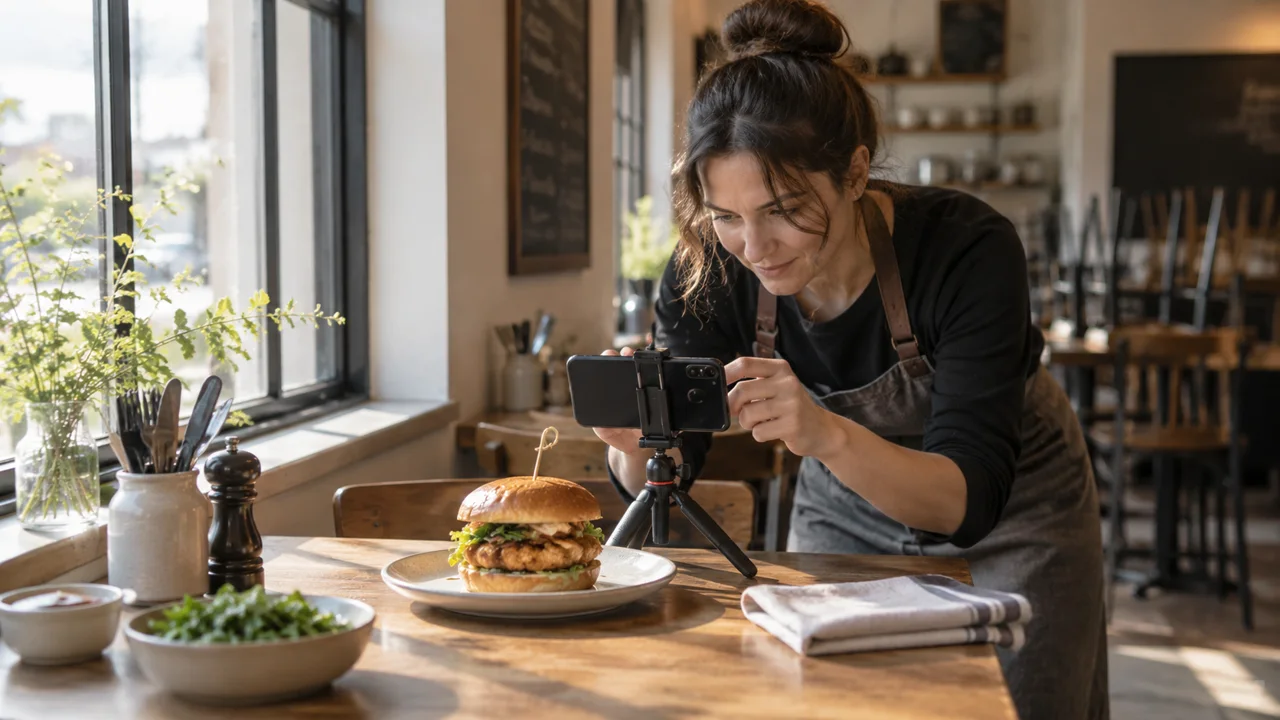
Picture two versions of your best-selling chicken burger. One arrives at the table looking generous, crisp and worth the money. The other appears online as a dark square beside the words “Chicken Burger”.
The kitchen is doing its job. The menu may not be.
Before buying more advertising, check whether the dishes you already sell are easy to understand and appealing to order. That does not require photographing every plate tomorrow. It requires fixing the most important mismatches first.
A useful signal, not a 44% promise
DoorDash's merchant guidance, published in November 2025, reports that menus with item photos saw monthly sales increases of up to 44%. The page does not provide the sample or study design behind that figure. Treat it as a platform-reported signal, not a forecast for your restaurant or proof that photography alone caused the change.
Your own starting question is more practical: which products are customers struggling to choose?
Photograph the dishes that deserve the attention
Start with a small selection that covers different reasons to improve a photo. Choose a popular item with a poor image, a profitable item people overlook, and an unfamiliar dish that needs explaining.
Do not automatically lead with the dish that looks most dramatic. Check whether it is consistently available and manageable during service. There is little benefit in pushing an item the kitchen cannot produce reliably.
Use this short brief before taking a picture:
| What to decide | The question to answer |
|---|---|
| Standard serving | Is everything pictured included at the displayed price? |
| Choice or extra | Is that sauce, side or topping optional? |
| Customer uncertainty | Does the image clarify size, texture or what the dish contains? |
| Operational fit | Can the team reproduce this presentation on an ordinary shift? |
A photo is a promise about an order, not just an attractive object.
Run the “would we serve this?” check
Prepare the normal portion using the normal ingredients. Photograph it in even light, with a background that does not compete with the food. Then view the result at the size it will appear on a phone.
Can you still tell what the dish is? Has the crop removed the main ingredient? Does the garnish make the portion look larger than the one customers receive?
Editing brightness or cropping distractions is different from inventing extra food. Avoid AI-generated replacement dishes, stock photos presented as your own meals, or retouching that creates a portion the kitchen does not serve.
Before reusing a photographer's images across your website, ads and ordering platforms, check the usage rights you actually have. Do not assume paying for a shoot grants every possible use.
Give the photograph a useful caption
Compare these two illustrative descriptions, not descriptions of a real venue:
Chicken Burger — Delicious chicken burger with our special sauce.
Crispy Chicken Burger — Fried chicken thigh, cabbage slaw and house chilli mayo in a toasted bun. Fries sold separately.
The second helps someone decide. It states the main components and removes uncertainty about the side. Use wording that matches the recipe; a photograph or attractive description is not a substitute for verified allergen information.
Keep the item name consistent across the menu, ordering screen and kitchen ticket. Staff should not need to translate a marketing name before making the order.
Measure a useful result, not just likes
Where your existing ordering system provides item views, compare views with completed purchases. Where it does not, record units sold, total menu orders, availability and the mix of items purchased. Do not manufacture a conversion rate from data you do not collect.
Here is an illustrative comparison:
| Period | Item views | Completed purchases | View-to-purchase rate |
|---|---|---|---|
| Before new photo | 400 | 32 | 8% |
| After new photo | 400 | 44 | 11% |
That is a three-percentage-point difference, not proof the image caused it. Price changes, placement, weather and promotions could also matter. Keep those conditions as comparable as practical and record what changed.
Check the whole basket too. Selling more of one item by replacing an equally profitable dish may not improve overall contribution. A promising result combines clearer choices, completed orders and an operationally sensible product mix.
Fix three images before planning thirty
This week, open your menu as a customer. Select three dishes, write a truthful photo brief, replace the weak images and record the change date. Review a comparable period once there is enough order activity to make the comparison useful.
The aim is not a perfect food magazine. It is a menu that makes your real food easier to choose.
A photo brief your team can repeat
- Dish: exact menu item, serving size and included sides.
- Setup: one light source, one camera position and a clean background.
- Accuracy check: the cook confirms that the photo matches a normal paid order.
- Review date: replace the image when the recipe, portion or presentation changes.
Give your real menu a home under your brand
Your best dishes should be easy to recognise and choose. Explore BizAppMaker’s branded app and ordering features, then bring your updated menu to a customer-journey discussion. Check how photos, options and sold-out items will appear before inviting guests to order. Use photographs of your actual dishes for the menu; the illustration in this article is not a menu asset.
Take a look at how BizAppMaker works for restaurants, or try the live app demo.